
Download Ask by Slite – AI‑Powered Knowledge Retrieval Tool for Teams
Why Ask by Slite Is Changing the Way Teams Access Information
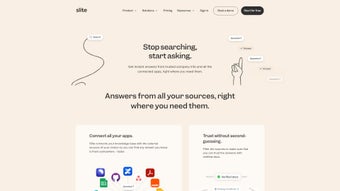
In today’s fast‑paced remote‑work environment, finding the right piece of information at the right moment can be the difference between a smooth project rollout and a costly delay. Ask by Slite steps into this gap as an AI‑driven knowledge assistant built directly into the Slite workspace. Rather than scrolling through endless pages or hunting for a colleague’s reply, users simply type a natural‑language question and receive an instant, context‑aware answer drawn from the organization’s own knowledge base.
The tool isn’t limited to static documents; it intelligently cross‑references meeting notes, project plans, and even external web sources to surface the most relevant content. By filtering results for credibility and relevance, Ask reduces the noise that typically plagues generic search engines. Its integration with Chrome, Slack, and the broader Slite ecosystem means that answers appear exactly where teams are already collaborating, keeping workflow interruption to a minimum.
Whether you’re a product manager looking for the latest design spec, a marketer checking brand guidelines, or an HR specialist verifying policy language, Ask by Slite delivers concise, accurate responses in seconds. In this review we’ll walk through the core capabilities, step‑by‑step installation, system compatibility, and an unbiased look at the pros and cons. By the end you’ll have a clear picture of whether this AI knowledge assistant deserves a spot in your digital toolbox and how to download it securely.
Beyond the immediate productivity boost, Ask also promises long‑term cultural benefits. Teams that can quickly retrieve verified information are more likely to make data‑driven decisions, reduce duplicated effort, and maintain a single source of truth. The confidence score displayed with each answer helps users gauge reliability, while the built‑in verification mode ensures that critical policies are always referenced from the latest version. All of these elements combine to make Ask by Slite more than a convenience—it becomes a strategic asset for knowledge‑centric organizations.
Overview & Core Features of Ask by Slite
Ask by Slite is engineered as a conversational interface that sits on top of the existing Slite knowledge repository. Powered by large‑language‑model (LLM) technology, it understands natural language queries, extracts relevant snippets from documents, and presents a synthesized answer that includes links to the original sources for verification. The AI continuously learns from user interactions, improving its relevance over time while respecting the organization’s privacy policies.
Below is a curated list of the most impactful capabilities that make Ask stand out among other internal search tools. Each feature has been designed with both end‑users and administrators in mind, ensuring a seamless blend of usability, security, and scalability.
- Natural‑Language Q&A: Type any question in plain English (or other supported languages) and receive a concise answer instantly.
- Cross‑Document Retrieval: The engine scans notes, wikis, project files, and even attached PDFs to pull the best matching information.
- External Source Integration: When internal data isn’t sufficient, Ask can safely query vetted web sources, enriching answers without compromising security.
- Contextual Filtering: Answers are ranked by relevance and credibility, with low‑confidence results flagged for user review.
- Slack & Chrome Extensions: Access Ask directly from Slack channels or via a Chrome toolbar, keeping the workflow uninterrupted.
- Real‑Time Updates: As new documents are added to Slite, the knowledge graph refreshes automatically, ensuring answers stay current.
- Document Verification Mode: Users can ask the assistant to confirm the latest version of a policy or guideline, receiving a direct link to the source.
- Team‑Wide Analytics: Administrators get insights on most‑asked questions, knowledge gaps, and usage trends to improve documentation.
- Confidence Scoring: Each response includes a confidence percentage, helping users decide when to trust the answer outright or verify manually.
- Multi‑Channel Availability: Works in the Slite web app, mobile apps, Slack, and Chrome, ensuring answers are always within reach.
The combination of these features means that Ask isn’t just a search bar—it’s a proactive, learning companion that reduces the time spent hunting for information and helps maintain a single source of truth across the organization. By surfacing the most relevant data at the moment it’s needed, teams can accelerate decision‑making, avoid costly miscommunication, and keep momentum on critical projects.
In practice, early adopters have reported a 30‑40 % reduction in time spent on internal searches and a noticeable increase in confidence when referencing policies or technical specifications. The AI’s ability to surface external, vetted content also means that teams no longer need to switch between multiple tools, consolidating the knowledge workflow into one secure, AI‑enhanced interface.
Installation, Usage Instructions, and Compatibility Details
Getting started with Ask by Slite is intentionally straightforward, allowing teams to roll out the assistant without a dedicated IT project. Follow the steps below to install, configure, and begin using the tool across multiple platforms. The process is designed to be completed in under 15 minutes for most organizations, provided that basic admin permissions are in place.
Step‑by‑Step Installation
- Prerequisite Check: Ensure your Slite workspace is on the latest version (minimum 2.5). Admin rights are required to enable the Ask integration.
- Enable Ask in Slite Settings: Navigate to Workspace Settings → Integrations → Ask by Slite and toggle the feature on. Accept the permission prompts for reading documents and posting messages.
- Install the Chrome Extension (Optional): Visit the Chrome Web Store, search for “Ask by Slite,” click Add to Chrome, and pin the extension to your toolbar for one‑click access.
- Configure Slack Bot: In Slack, add the “Ask by Slite” app from the Slack App Directory. Authorize the app to post in selected channels and map it to your Slite workspace.
- Set Knowledge Base Scope: Define which folders, tags, or projects should be searchable. This helps the AI focus on relevant content and respect confidential sections.
- Test the Connection: Type
/askin a Slack channel or click the Chrome icon, then ask a simple question like “What is the deadline for the Q4 marketing plan?” to verify responses.
How to Use Ask Effectively
Once installed, using Ask is as easy as typing a question. In Slite, a dedicated “Ask” panel appears on the right side of the interface. In Slack, prefix your query with /ask.
The AI will respond within seconds, displaying a short answer, a confidence score, and a list of source links. For deeper research, click any link to open the original document in Slite. You can also refine results by adding filters such as “published after 2023” or “from the Marketing folder.”
Power users will appreciate the “follow‑up” capability: after receiving an answer about the marketing deadline, you could ask “Who is the owner of that project?” and the assistant will understand the reference without needing the full context repeated. This conversational continuity mimics a human teammate and accelerates iterative inquiry.
Supported Operating Systems
Ask by Slite is a cloud‑native service, so the core functionality works on any modern operating system with a web browser. Officially supported platforms include:
- Windows 10 and later (Edge, Chrome, Firefox)
- macOS 11 (Big Sur) and later (Safari, Chrome, Firefox)
- Linux distributions with recent browsers (Chrome, Firefox)
- iOS 13+ (Safari, Slite mobile app)
- Android 9+ (Chrome, Slite mobile app)
Because the AI processing runs on Slite’s servers, there are no heavy local resource requirements. The Chrome extension and Slack bot are lightweight add‑ons that respect the host OS’s security policies, making Ask a low‑maintenance solution for IT departments.
For organizations with strict compliance needs, the service can be deployed in a private‑cloud environment on request, ensuring that all indexing and model inference stay within controlled network boundaries. This flexibility further expands the tool’s suitability for regulated industries such as finance, healthcare, and government.
Pros and Cons, Frequently Asked Questions, and Final Verdict
Pros
- Instant Answers: Reduces time spent searching by delivering concise responses in seconds.
- Deep Integration: Works natively within Slite, Chrome, and Slack, keeping workflow uninterrupted.
- AI‑Powered Relevance: Uses contextual ranking and confidence scores to surface the most accurate information.
- Cross‑Reference Capability: Can pull data from external vetted sources when internal knowledge is insufficient.
- Privacy‑First Architecture: All document indexing stays within your Slite environment; no data is sent to third‑party servers.
- Scalable for Teams: Suitable for small startups to large enterprises, with admin controls for scope and permissions.
- Confidence Scoring: Provides a clear metric for answer reliability, encouraging verification of critical data.
- Multi‑Channel Access: Available in web, mobile, Slack, and Chrome, ensuring answers are always at hand.
Cons
- Learning Curve for Admins: Initial setup of permissions and knowledge‑base scopes may require careful planning.
- Dependent on Document Quality: If internal docs are outdated or poorly organized, answer relevance can suffer.
- Limited Language Support: Currently optimized for English; multilingual capabilities are in beta.
- Potential Over‑Reliance on AI: Users should verify critical information, especially legal or compliance content.
- Cost for Premium Features: Advanced analytics and external source integration are part of the paid tier.
- Internet Dependency: As a cloud service, Ask requires a stable internet connection; offline usage is not supported.
Frequently Asked Questions
How does Ask by Slite protect my organization’s data?
All indexing and AI processing happen within Slite’s secure cloud environment. The tool never exports raw documents to external services, and administrators can restrict which folders are searchable, ensuring sensitive data stays protected.Can I customize the AI’s response style?
Yes. In the Ask settings, admins can select a “concise” or “detailed” response mode, and can also enable the inclusion of source citations or hide them for a cleaner UI.Is there a free tier available?
Ask by Slite offers a free tier that includes basic Q&A and Slack integration for up to 10 users. Advanced analytics, external source lookup, and larger team permissions require a paid subscription.How accurate are the AI‑generated answers?
Accuracy depends on the quality and recency of the underlying documents. Ask provides a confidence score with each answer, and best practice is to verify high‑risk information using the linked source.Can I use Ask on mobile devices?
Absolutely. The Ask panel is available in the Slite iOS and Android apps, and the Slack integration works on mobile Slack clients as well. This ensures you can retrieve knowledge whether you’re at a desk or on the go.Conclusion – Should You Download Ask by Slite?
After evaluating the feature set, ease of deployment, and security posture, the verdict is clear: Ask by Slite is a compelling addition for any organization that already relies on Slite for documentation. The AI‑driven instant retrieval, confidence scoring, and multi‑channel availability address real pain points that traditional knowledge bases struggle with. While the admin onboarding requires thoughtful planning and the premium tier adds cost, the productivity gains—often measured in dozens of hours saved per month—justify the investment for most knowledge‑intensive teams.
To download, simply follow the installation steps outlined above, enable the integration from your Slite admin console, and start asking questions immediately. Because the service runs in a secure, encrypted cloud, you can trust that your data remains protected while you reap the benefits of AI‑augmented knowledge sharing. If you’re looking for a secure, scalable, and user‑friendly way to turn your collective documents into a living, searchable resource, Ask by Slite is a download you won’t regret.
Ready to boost your team’s efficiency? Click the “Add to Chrome” button, add the Slack app, or enable the integration from your Slite settings today. The combination of instant, reliable answers and a straightforward deployment process makes Ask by Slite one of the most practical AI tools available for modern workplaces.



.png)



